eLABoraNET / Modules
One laboratory. One connected system.
A configurable web-based LIMS for diverse laboratory applications.
From order to report
Quotes & ordersSamplingResultsInstruments & calculationsMicrobiologySpecialist result entryReportsCustomer portalView samples & reportsQuality & laboratory operations
Quality & skillsInventory & QCEquipmentDashboards & AIAll laboratory dataQuality, materials and equipment support the work. Dashboards make the process visible.
Retention and disposal follow the sample lifecycle, independently of billing.
Quotes & ordersA question becomes a laboratory order.
What does the customer need tested? The laboratory agrees the scope and brings the enquiry, quotation and order together in eLABoraNET.
- Manage customers, service items and the analytical scope together.
- The laboratory team handles quotations and orders.
- Keep analytical and commercial work in the same order context.
SamplingThe order goes into the field.
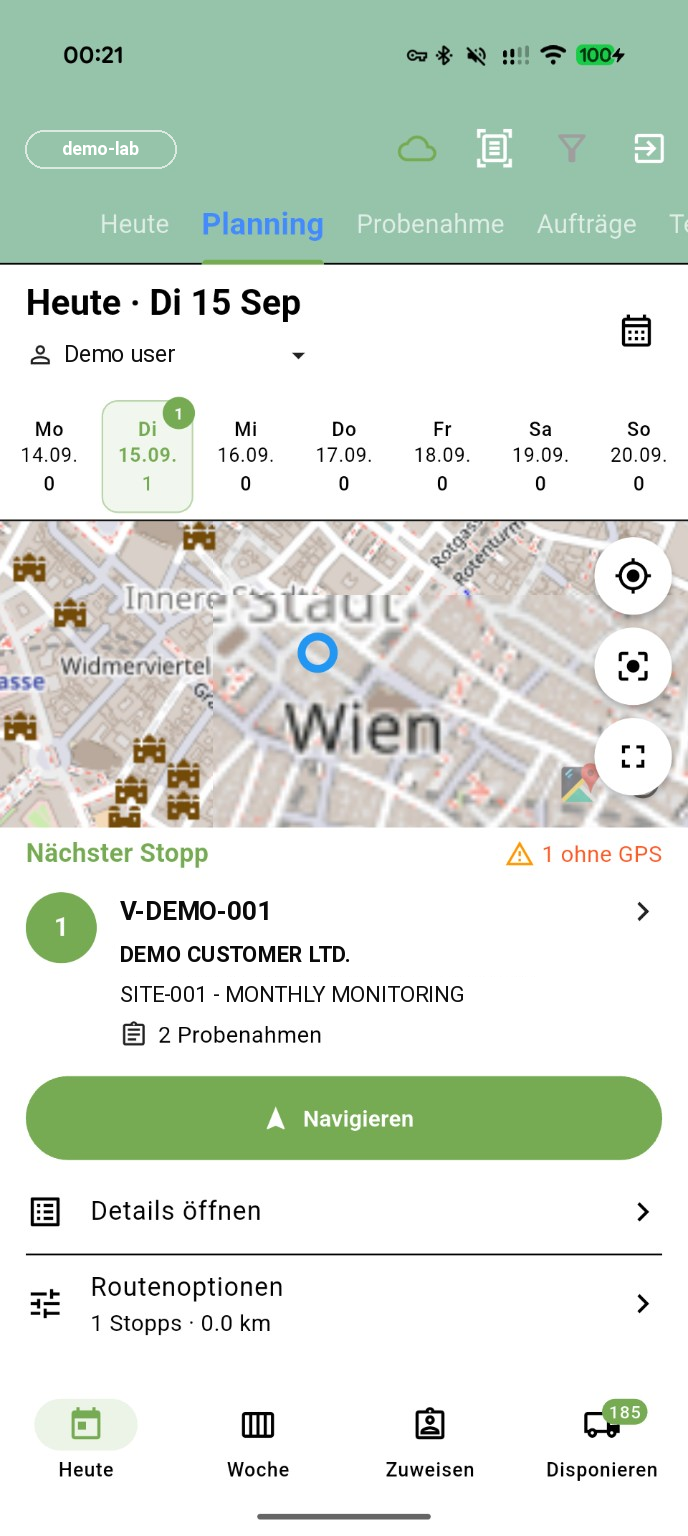
The sampling app connects scheduling, field work and laboratory handover. External sampling organisations are integrated, too.
- Daily and weekly planning, sampling points and barcode access.
- Capture measurements, photographs and signatures on site, including offline.
- Transfer local data afterwards; an outbox shows pending uploads.
ResultsThree entry paths. One sample context.
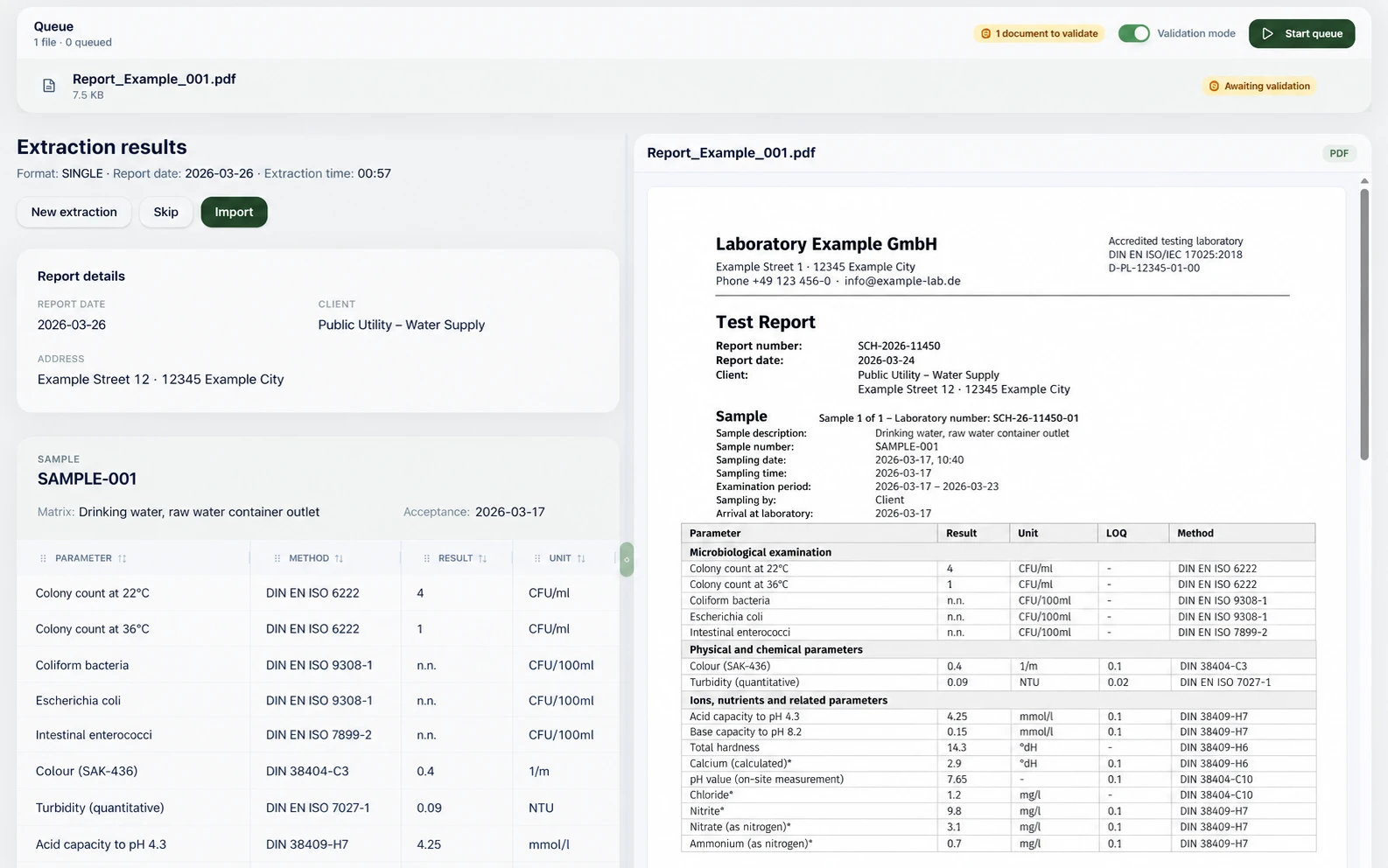
Instruments deliver data, partner laboratories send reports and people record measurements. Result capture follows the work.
- Instrument connections for result import and worklists, for example Agilent, Thermo, Metrohm and Shimadzu; calculations and limit checks run automatically.
- The AI PDF import assigns report values to existing samples and pending analyses. No configuration, no manual mapping: load it in, confirm, done.
- An Android result-entry app built for this task, not simply a mobile website.
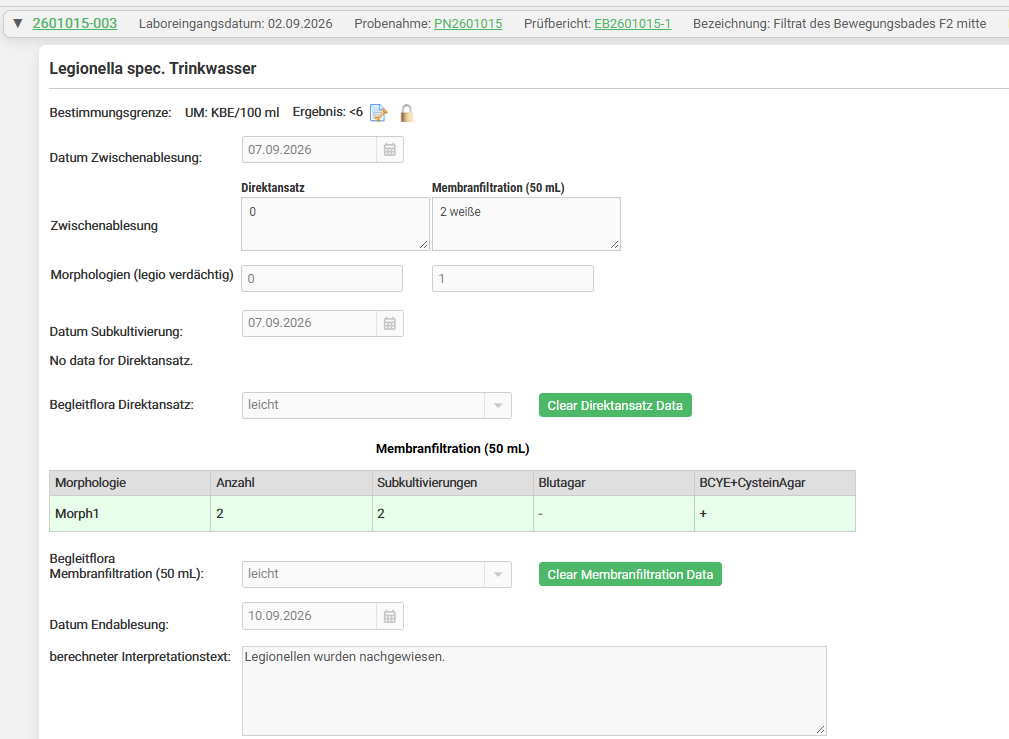
MicrobiologyMore than a generic form.
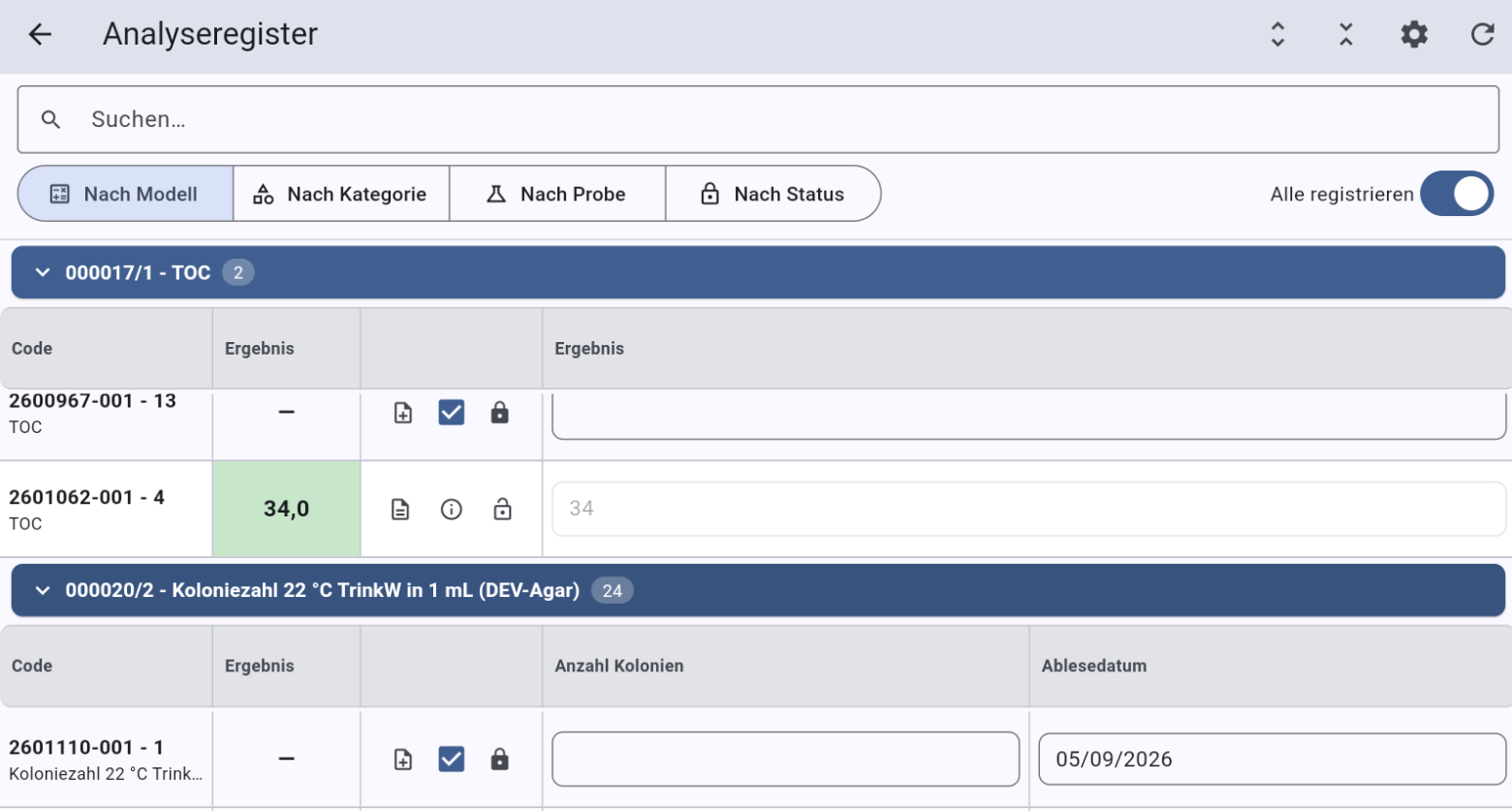
Specialist entry screens reflect microbiological laboratory work. Without formulas or workarounds, the focus stays on samples and results.
Microbiology entry screens in detail- Specialist microbiology result entry, directly in the LIMS.
- Samples, analyses and worklists share the same context.
- Create the analysis from a template, enter the internal model name and start.
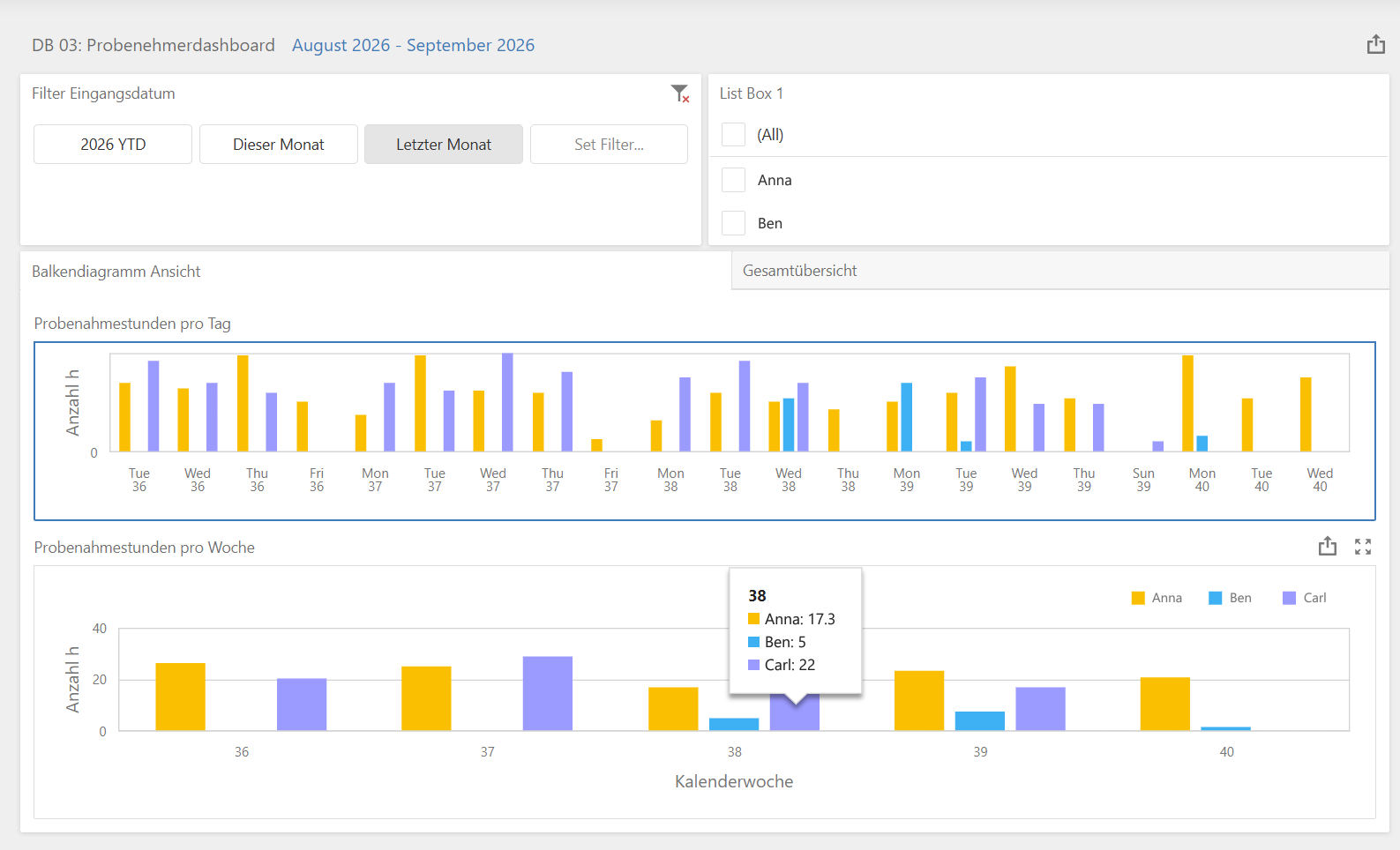
Dashboards & AIWhat needs your attention today?
Visualise all of your laboratory’s data, from orders and sampling through results, inventory and equipment to billing. AI capabilities extend your view of laboratory operations.
- Comprehensive dashboards for laboratory information and analysis.
- “Ask your Dashboard”: questions to your dashboard in natural language.
- Generate new dashboards with AI assistance.
ReportsResults become an answer.
Laboratory reports bring the results together. Digital signature workflows and customer access complete the analytical process.
- Create reports in the context of orders, samples and results.
- Make reports available for viewing in the customer portal.
- Multilingual reports as signed, time-stamped PDFs.
Customer portalCustomers see their samples and reports.
Customers get their own access for viewing samples and laboratory reports. Consultation, quotations and ordering remain with the laboratory team.
- View samples through the customer portal.
- View laboratory reports through the same access.
- No quotation or order self-service: these are handled by the laboratory team.
BillingComplete the commercial process, too.
Invoice the laboratory services delivered. eLABoraNET connects billing to the laboratory order.
- German e-invoicing in XRechnung and ZUGFeRD formats.
- Connect customers, services, orders and invoicing.
- Connect external ERP and accounting systems, for example SAP, Microsoft Dynamics 365, DATEV or Lexware.
Retained samplesReport delivered. Sample still accounted for.
Retained-sample management follows the sample’s physical lifecycle. The discard app and the barcode system support disposal.
- Manage retained samples within laboratory operations.
- Identify samples through the barcode system.
- Handle disposal with the discard app, independently of billing.
After reporting, retained samples remain traceable until their scheduled disposal. The discard app supports the barcode-based closing step. Invoicing is not a prerequisite.
Quality & skillsIs this sampler qualified for the task?
Quality starts before the first sample. The competency matrix makes the sampler’s qualifications visible for the planned assignment.
- Document competencies and qualifications in the QM module.
- Check whether the assigned person is qualified before sampling.
- Make quality management part of the laboratory process, not a separate document store.
Inventory & QCNot just in stock. Traceable.
Consumables and QC standards are part of daily analytical work. Inventory management includes tracking QC standards.
- Manage laboratory consumables in inventory.
- Track QC standards and keep them traceable.
- Connect material management to analytical and quality requirements.
EquipmentWhich instrument produced this result?
The measurement instrument matters as much as the result. Equipment management documents maintenance and calibration.
- Manage instruments and their documentation.
- Keep maintenance and calibration evidence for the measurement instrument.
- Check the instrument’s status against these records before use.
Next step
Which sample should we follow for you?
Tell us your use case. We show you the journey of your sample in eLABoraNET, with your workflows instead of a standard demo.